By Alex Rodriguez | AI Developer & Open Source Contributor | January 2024 | 22 min read
🚀 From beginner to AI contributor: Your complete roadmap

The Moment Everything Changed for Me (And Why You’re About to Have the Same Epiphany)
Three years ago, I was stuck. Completely, utterly stuck.
I’d spent six months learning machine learning from online courses. I understood the theory—neural networks, backpropagation, gradient descent. I could explain it all. But when it came to building something REAL? Something that actually worked? I had no idea where to start.
The gap between “I watched a YouTube tutorial” and “I built a functioning AI model” felt insurmountable. Every time I tried to code something from scratch, I’d hit a wall. My models wouldn’t train. My data preprocessing was a mess. I didn’t know if my problems were normal beginner struggles or if I was fundamentally doing something wrong.
Then a senior developer at a meetup told me something that changed everything:
“Stop trying to learn AI in isolation. Go to GitHub. Find projects you’re interested in. Read the code. Run it. Break it. Fix it. That’s how you actually learn.”
I went home that night, opened GitHub, and typed “machine learning” into the search bar.
47,000+ repositories.
I was overwhelmed. But I clicked on the first interesting project—a sentiment analysis model for movie reviews. I cloned it. Ran it. It worked. I read through the code. Suddenly, things that were abstract in courses became concrete. “Oh, THAT’S how you structure a training loop. THAT’S how you save model checkpoints. THAT’S how professionals organize their code.”
Within a week, I’d explored 15 different projects. Within a month, I’d made my first pull request (fixing a typo in documentation—small wins count). Within three months, I’d built my first real AI project by combining techniques I’d learned from different repositories.
Today, I’m a machine learning engineer at a tech company you’ve definitely heard of. And I can trace my entire career back to that moment I discovered how to actually USE GitHub for AI development.
If you’re reading this, you’re probably where I was three years ago. You understand AI conceptually, but you’re struggling to bridge the gap to practical application. Or maybe you’re already coding but you feel isolated, like you’re reinventing wheels that someone else has already perfected.
GitHub is your secret weapon. And I’m going to show you exactly how to wield it.
Let’s dive in.
What Exactly Is GitHub? (And Why Does Every AI Developer Swear By It?)
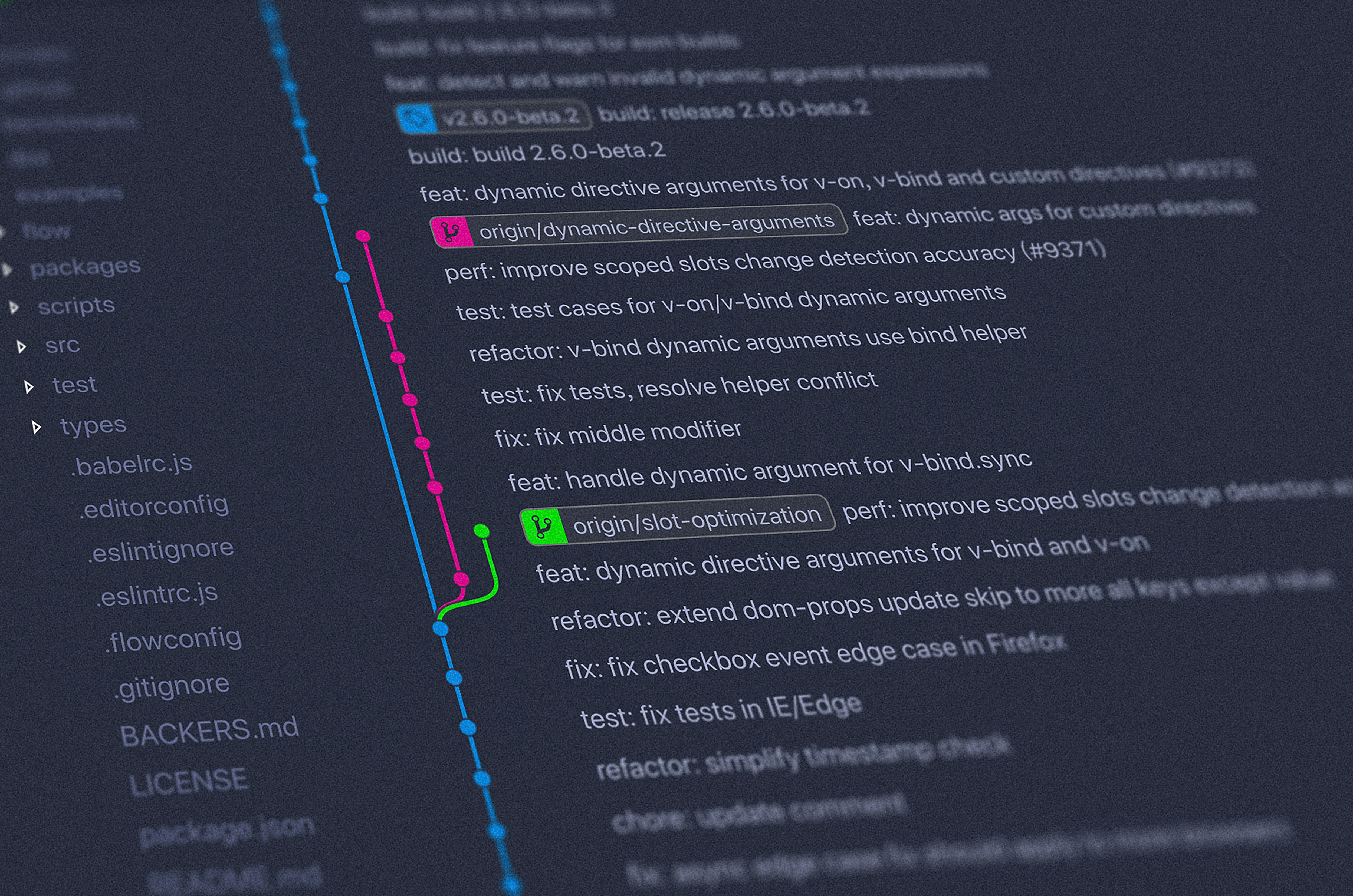
If you’re completely new to GitHub, let me break it down in the simplest possible terms:
GitHub is basically Google Drive for code.
But it’s so much more powerful because it’s built on Git—a version control system that tracks every change ever made to your code. Think of it like “Track Changes” in Microsoft Word, but for software development, and on steroids.
The Core Concepts (Explained Like You’re Five)
Repository (Repo)
A repository is a project folder. It contains all the code, files, and documentation for a specific project. Think of it as a filing cabinet for one particular AI project.
Example: The TensorFlow repository contains all the code for Google’s TensorFlow library—millions of lines of code, organized and accessible.
Clone
Downloading a repository to your computer so you can work with it locally. Like downloading a document from Google Drive to edit on your computer.
Commit
A snapshot of your code at a specific point in time. Every time you make changes and “commit” them, Git remembers exactly what changed, when, and why.
Branch
A parallel version of your code where you can experiment without messing up the main project. Like creating a draft version of a document before making official changes.
Pull Request (PR)
Proposing changes to someone else’s project. “Hey, I fixed a bug in your code. Want to merge my fix into your main project?”
Fork
Creating your own copy of someone else’s repository. You can make whatever changes you want to YOUR copy without affecting the original.
Star
Like bookmarking a repository. Also shows appreciation for the project and helps others discover quality projects.
Issues
A built-in discussion forum where people report bugs, request features, or ask questions about the project.
Why GitHub Specifically for AI?
Here’s the thing: AI development is DIFFERENT from regular software development in some crucial ways:
- It’s experimental by nature: You’re constantly trying different architectures, hyperparameters, and approaches
- It requires collaboration: No one person has all the expertise needed for complex AI systems
- Models are huge: Managing large datasets and trained models requires serious version control
- Reproducibility is critical: Being able to reproduce results is essential for research and production
- The field moves FAST: What’s cutting-edge today is outdated in six months; GitHub helps you stay current
GitHub solves all these problems. It’s become the de facto standard for AI development. If you want to be taken seriously in AI, you NEED to understand GitHub.
The Numbers Don’t Lie
As of 2024:
- 100+ million developers use GitHub worldwide
- 372+ million repositories (and growing by thousands daily)
- Over 50,000 AI/ML repositories with significant activity
- Every major AI framework (TensorFlow, PyTorch, scikit-learn) is hosted on GitHub
- Millions of AI models shared and downloaded monthly
- 90% of Fortune 100 companies use GitHub for development
This isn’t a trend. This is infrastructure. GitHub IS where AI development happens.

GitHub’s Role in the AI Revolution: The Untold Story
Let me tell you something most people don’t realize: almost every major AI breakthrough in the last five years started on GitHub.
The Open Source AI Explosion
Remember when AI was secret sauce locked away in corporate research labs? That world is dead. GitHub killed it.
BERT (Google’s breakthrough natural language model) – Released on GitHub, spawned thousands of variations
GPT-2 (OpenAI’s text generation model) – Initially held back for “safety concerns,” eventually released on GitHub, changed the world
Stable Diffusion (the AI image generator) – Released on GitHub, democratized AI art creation
LLaMA (Meta’s large language model) – Leaked on GitHub (controversially), accelerated open-source AI development by years
Every single one of these started as code on GitHub. Researchers, developers, and hobbyists then built on that foundation, creating the AI ecosystem we have today.
Why Companies Release AI Models on GitHub
You might wonder: why would Google or Meta give away their cutting-edge AI for free?
Several reasons:
- Community improvement: Thousands of developers find bugs and suggest improvements faster than any internal team
- Talent recruitment: Companies see who’s building cool stuff with their models and hire them
- Industry standardization: Your framework becomes the standard if everyone uses it
- Research acceleration: Science advances faster when everyone can build on each other’s work
- Reputation: Being seen as contributors to the AI community builds brand value
The GitHub Effect on AI Development Speed
Here’s a mind-blowing statistic: According to a 2023 study, AI development cycles have shortened by 60% since 2018, largely due to open-source collaboration on platforms like GitHub.
What used to take research teams years now takes months because:
- Nobody starts from scratch—you build on existing work
- Bugs get fixed immediately by the community
- Best practices spread instantly
- Failed experiments are documented, saving others from repeating mistakes
GitHub didn’t just make AI development easier. It fundamentally accelerated the entire field.
Getting Started with GitHub for AI: Your Step-by-Step Roadmap

Alright, enough theory. Let’s get you actually USING GitHub for AI development. I’m going to walk you through this like I’m sitting next to you.
Step 1: Create Your GitHub Account (5 Minutes)
- Go to GitHub.com
- Click “Sign up”
- Choose a username (pro tip: use your real name or professional alias—this becomes your portfolio)
- Verify your email
- Choose the free plan (it’s more than enough to start)
Your username matters. Hiring managers WILL look at your GitHub profile. Choose wisely. “CodeMaster69” is not as professional as “sarah-martinez” or “sarahmartinez-ai”.
Step 2: Set Up Your Profile (15 Minutes)
Your GitHub profile is your AI developer resume. Take it seriously.
- Add a profile picture: Headshot preferred, but anything professional works
- Write a bio: “Machine Learning Engineer | PyTorch | Computer Vision” tells people exactly who you are
- Add your location: Helps with networking and job opportunities
- Link your website/LinkedIn: Make it easy for people to find you
- Pin your best repositories: Showcase your top 6 projects (we’ll create these soon)
Step 3: Install Git on Your Computer (10 Minutes)
GitHub is the website. Git is the tool you use on your computer to interact with GitHub.
For Windows:
- Download Git from git-scm.com
- Run the installer (default settings are fine)
- Open Command Prompt and type:
git --version - If you see a version number, you’re good!
For Mac:
- Open Terminal
- Type:
git --version - If Git isn’t installed, macOS will prompt you to install it
- Follow the prompts
For Linux:
You probably already have Git. If not: sudo apt-get install git
Step 4: Configure Git (5 Minutes)
Tell Git who you are:
git config --global user.name "Your Name"
git config --global user.email "your.email@example.com"
Use the same email you used for GitHub.
Step 5: Clone Your First AI Repository (10 Minutes)
Let’s clone a beginner-friendly AI project to learn from.
I recommend starting with the “scikit-learn” tutorials repository:
- Go to github.com/scikit-learn/scikit-learn
- Click the green “Code” button
- Copy the HTTPS URL
- Open your terminal/command prompt
- Navigate to where you want to save the project:
cd Documents - Type:
git clone https://github.com/scikit-learn/scikit-learn.git - Wait for it to download (might take a minute)
- Navigate into the folder:
cd scikit-learn
Congratulations! You just cloned your first AI repository. You now have access to one of the most popular machine learning libraries in the world, locally on your computer.
Step 6: Explore the Repository Structure
Open the folder in your code editor (VS Code, PyCharm, whatever you use). You’ll see a structure like:
scikit-learn/
├── README.md          ← Start here! Explains the project
├── LICENSE            ← Legal stuff (usually MIT or Apache)
├── requirements.txt   ← Dependencies you need to install
├── setup.py          ← Installation script
├── sklearn/          ← The actual library code
├── examples/         ← Example code (GOLD for learning)
├── doc/              ← Documentation
└── tests/            ← Automated tests
Always read the README.md first. It’s the instruction manual for the entire project.
Step 7: Run Example Code
Most good AI repositories have an “examples” folder. This is your playground.
- Navigate to the examples folder
- Find a simple example (look for files with names like “simple_classification.py”)
- Install dependencies:
pip install -r requirements.txt - Run the example:
python examples/simple_classification.py
If it runs successfully—boom! You’ve just executed professional AI code on your machine. Now you can start modifying it to learn how it works.

The 50 Best AI Repositories on GitHub You Need to Know About
Here’s the good stuff. I’ve categorized the most valuable AI repositories by use case so you can find exactly what you need.
🔥 Essential AI Frameworks & Libraries
1. TensorFlow (Google)
⭐ Stars: 180,000+
What it is: Google’s end-to-end open-source machine learning platform
Best for: Production ML systems, deep learning, deployment at scale
Link: github.com/tensorflow/tensorflow
Why you need it: Industry standard for production ML. If you want a job in AI, you need TensorFlow experience.
2. PyTorch (Meta/Facebook)
⭐ Stars: 75,000+
What it is: Dynamic deep learning framework favored by researchers
Best for: Research, rapid prototyping, computer vision, NLP
Link: github.com/pytorch/pytorch
Why you need it: More intuitive than TensorFlow, dominates AI research papers
3. scikit-learn
⭐ Stars: 57,000+
What it is: Simple, efficient tools for predictive data analysis
Best for: Classical machine learning, beginners, data science
Link: github.com/scikit-learn/scikit-learn
Why you need it: Perfect starting point. Clean, simple, well-documented.
4. Keras
⭐ Stars: 60,000+
What it is: High-level neural networks API (now part of TensorFlow)
Best for: Fast experimentation, beginners, standard neural networks
Link: github.com/keras-team/keras
Why you need it: Easiest way to build neural networks. Great for prototyping.
5. Hugging Face Transformers
⭐ Stars: 120,000+
What it is: State-of-the-art NLP models (BERT, GPT, etc.)
Best for: Natural language processing, text generation, chatbots
Link: github.com/huggingface/transformers
Why you need it: If you’re doing anything with text/language, this is essential. Period.
🎨 Computer Vision & Image Processing
6. YOLOv8 (Ultralytics)
⭐ Stars: 20,000+
What it is: Real-time object detection
Best for: Object detection, tracking, segmentation
Link: github.com/ultralytics/ultralytics
Use case: Self-driving cars, security cameras, sports analytics
7. OpenCV
⭐ Stars: 74,000+
What it is: Computer vision and image processing library
Best for: Image manipulation, video analysis, facial recognition
Link: github.com/opencv/opencv
8. Detectron2 (Facebook AI Research)
⭐ Stars: 27,000+
What it is: Object detection and segmentation platform
Best for: Instance segmentation, panoptic segmentation
Link: github.com/facebookresearch/detectron2
9. Stable Diffusion
⭐ Stars: 60,000+
What it is: Text-to-image AI generation
Best for: AI art, creative applications, image generation
Link: github.com/Stability-AI/stablediffusion
Why it’s revolutionary: Democratized AI art. Runs on consumer hardware.
10. Segment Anything (Meta)
⭐ Stars: 42,000+
What it is: Promptable segmentation model
Best for: Segmenting any object in any image
Link: github.com/facebookresearch/segment-anything
🗣️ Natural Language Processing (NLP)
11. GPT-NeoX
⭐ Stars: 6,000+
What it is: Large-scale language model training
Best for: Understanding how GPT models work, customization
Link: github.com/EleutherAI/gpt-neox
12. spaCy
⭐ Stars: 28,000+
What it is: Industrial-strength NLP library
Best for: Text processing, named entity recognition, dependency parsing
Link: github.com/explosion/spaCy
13. LangChain
⭐ Stars: 75,000+
What it is: Framework for building LLM applications
Best for: Chatbots, document Q&A, agents
Link: github.com/langchain-ai/langchain
Hot right now: Essential for GPT-4 applications and AI automation
14. Whisper (OpenAI)
⭐ Stars: 55,000+
What it is: Speech recognition model
Best for: Transcription, translation, multilingual audio processing
Link: github.com/openai/whisper
🤖 Reinforcement Learning
15. Stable-Baselines3
⭐ Stars: 7,500+
What it is: Reliable RL implementations
Best for: Game AI, robotics, automated decision-making
Link: github.com/DLR-RM/stable-baselines3
16. OpenAI Gym
⭐ Stars: 33,000+
What it is: Toolkit for developing and comparing RL algorithms
Best for: RL research, game environments, testing
Link: github.com/openai/gym
📊 Data Science & ML Tools
17. Pandas
⭐ Stars: 41,000+
What it is: Data manipulation and analysis
Best for: Data cleaning, preprocessing, analysis
Link: github.com/pandas-dev/pandas
18. NumPy
⭐ Stars: 25,000+
What it is: Numerical computing in Python
Best for: Mathematical operations, array manipulation
Link: github.com/numpy/numpy
19. Matplotlib
⭐ Stars: 19,000+
What it is: Plotting and visualization
Best for: Charts, graphs, data visualization
Link: github.com/matplotlib/matplotlib
20. Jupyter Notebook
⭐ Stars: 11,000+
What it is: Interactive computing environment
Best for: Data exploration, prototyping, sharing results
Link: github.com/jupyter/notebook
🚀 Production & Deployment
21. MLflow
⭐ Stars: 17,000+
What it is: ML lifecycle management
Best for: Experiment tracking, model versioning, deployment
Link: github.com/mlflow/mlflow
22. FastAPI
⭐ Stars: 68,000+
What it is: Modern web framework for building APIs
Best for: Deploying ML models as APIs
Link: github.com/tiangolo/fastapi
23. Docker
⭐ Stars: 68,000+
What it is: Containerization platform
Best for: Reproducible environments, deployment
Link: github.com/docker/docker-ce
🎓 Learning Resources & Tutorials
24. Deep Learning Specialization (Coursera)
⭐ Stars: 4,500+
What it is: Andrew Ng’s famous course materials
Best for: Structured learning path from basics to advanced
Link: github.com/amanchadha/coursera-deep-learning-specialization
25. Machine Learning Yearning (Andrew Ng)
⭐ Stars: 7,500+
What it is: Practical ML strategy guide
Best for: Understanding ML project workflow
Link: github.com/ajaymache/machine-learning-yearning
26. Awesome Machine Learning
⭐ Stars: 63,000+
What it is: Curated list of ML resources
Best for: Discovering tools, papers, tutorials
Link: github.com/josephmisiti/awesome-machine-learning
27. Papers With Code
⭐ Stars: 71,000+
What it is: Research papers with implementation code
Best for: Understanding cutting-edge research
Link: github.com/paperswithcode
🎯 Specialized & Trending
28. AutoGPT
⭐ Stars: 160,000+
What it is: Autonomous GPT-4 agent
Best for: AI automation, experimental applications
Link: github.com/Significant-Gravitas/AutoGPT
29. LLaMA (Meta)
⭐ Stars: 50,000+
What it is: Large language model
Best for: Research, understanding LLM architecture
Link: github.com/facebookresearch/llama
30. ChatGPT Plugins
⭐ Stars: 22,000+
What it is: Build plugins for ChatGPT
Best for: Extending ChatGPT capabilities
Link: github.com/openai/chatgpt-retrieval-plugin
This is just the beginning. I’ve listed 30 essential repositories, but there are literally thousands more amazing projects. The key is to start exploring and find what matches YOUR interests and goals.

How to Actually Contribute to AI Projects on GitHub (And Build Your Reputation)
Reading code is one thing. Contributing is what separates hobbyists from professionals. Here’s how to make your first contribution without embarrassing yourself.
Level 1: The “I’m Just Starting” Contributions
Fix Typos in Documentation
Why this matters: Documentation is the first thing people see. Good documentation = more users. Maintainers LOVE people who improve docs.
How to do it:
- Find a popular AI repository
- Read through the README.md and documentation
- Spot a typo, grammatical error, or unclear explanation
- Click the “Edit” button (pencil icon) on GitHub
- Make your fix
- Click “Propose changes”
- Submit the pull request with a clear description
Pro tip: Start with projects that have a “good first issue” or “documentation” label.
Improve Code Comments
Many AI projects have code that’s technically correct but poorly explained. Adding clarifying comments helps everyone.
Add Usage Examples
If you successfully used a library for something, document HOW you did it. Others will follow the same path.
Level 2: The “I Know What I’m Doing” Contributions
Fix Small Bugs
How to find them:
- Look for Issues labeled “bug” or “good first issue”
- Try to reproduce the bug on your machine
- Fix it
- Submit a pull request with:
- Description of the bug
- How you fixed it
- Tests proving it works
Implement Requested Features
Look for Issues labeled “enhancement” or “feature request.” Pick something small that you’re capable of implementing.
Write Tests
Many AI projects lack comprehensive tests. Writing tests is HUGELY valuable and teaches you how the code actually works.
Level 3: The “I’m a Serious Contributor” Level
Optimize Performance
Find bottlenecks in code and make it faster. This requires profiling skills and deep understanding of the codebase.
Add New Capabilities
Implement significant new features that align with the project’s roadmap.
Become a Maintainer
After consistent, high-quality contributions, you might be invited to become a project maintainer—reviewing others’ pull requests and guiding the project’s direction.
Contribution Etiquette (Don’t Be “That Guy”)
DO:
- Read contribution guidelines (CONTRIBUTING.md)
- Search existing Issues before creating a new one
- Write clear, descriptive commit messages
- Be respectful and patient (maintainers are volunteers)
- Accept feedback graciously
- Test your code before submitting
- Follow the project’s coding style
DON’T:
- Submit massive pull requests out of nowhere
- Get defensive when receiving feedback
- Demand immediate responses
- Change coding style without discussion
- Break existing functionality
- Submit untested code
- Ignore CI/CD failures
My First Contribution Story (And What I Learned)
Remember when I said my first contribution was fixing a typo? Let me tell you the full story because it’s both embarrassing and instructive.
I found a popular NLP library with a typo in the README. I fixed it and submitted a pull request. I was so proud. Then the maintainer commented: “Thanks! But you didn’t follow the commit message format. Please see CONTRIBUTING.md and resubmit.”
I was mortified. I’d been so focused on the actual fix that I ignored the guidelines. I had to close that pull request, read the guidelines, make a new commit with the proper format, and resubmit.
It was a tiny thing. But I learned: process matters. Open source has norms for good reason. Follow them.
That typo fix got merged. It’s literally one word changed. But it’s there. My name is in the commit history of a project with 10,000+ stars. And that felt amazing.
Start small. Learn the process. Build from there.
Building Your AI Portfolio on GitHub (The Strategic Approach)

Your GitHub profile IS your portfolio. When you apply for AI jobs, hiring managers will look at your GitHub before they look at your resume. Here’s how to make it impressive.
The Portfolio Strategy Framework
1. The Foundation Projects (Must-Haves)
Image Classification Project
- Build a CNN to classify images (CIFAR-10, ImageNet subset, or custom dataset)
- Shows you understand: CNNs, data augmentation, transfer learning
- Bonus: Deploy it as a web app
NLP Project
- Sentiment analysis, text classification, or simple chatbot
- Shows you understand: word embeddings, transformers, text preprocessing
- Use Hugging Face Transformers to demonstrate you know modern tools
Data Science Project
- End-to-end analysis: data cleaning, EDA, modeling, insights
- Shows you understand: the full ML workflow, not just model training
- Use Jupyter Notebooks for clear storytelling
2. The Specialization Projects (Pick Your Lane)
Choose 2-3 areas and go deep:
- Computer Vision: Object detection, segmentation, GANs
- NLP: Question answering, summarization, named entity recognition
- Reinforcement Learning: Game AI, robotics simulation
- Time Series: Stock prediction, anomaly detection
- Generative AI: Text generation, image synthesis
3. The “Wow” Project (Your Signature Work)
This is the project that makes people remember you. It should be:
- Original: Not just following a tutorial
- Useful: Solves a real problem
- Polished: Well-documented, deployed, impressive
- Complex: Demonstrates advanced skills
Examples of great “wow” projects:
- AI that generates realistic synthetic data for privacy-sensitive applications
- Computer vision system that helps visually impaired people navigate
- NLP tool that summarizes legal documents in plain English
- Recommendation system for niche hobby (books, movies, music with unique twist)
- AI that detects deepfakes or misinformation
Project Structure That Screams “Professional”
Every project repository should have:
your-project/
├── README.md          ← Detailed project description
├── requirements.txt   ← All dependencies
├── setup.py          ← Installation script
├── LICENSE           ← Open source license
├── .gitignore        ← Don't commit unnecessary files
├── data/             ← Sample data or data loading scripts
├── notebooks/        ← Jupyter notebooks for exploration
├── src/              ← Your actual code
│   ├── __init__.py
│   ├── model.py
│   ├── train.py
│   ├── evaluate.py
│   └── utils.py
├── tests/            ← Automated tests
├── docs/             ← Additional documentation
└── examples/         ← Usage examples
Writing README.md Files That Get You Hired
Your README is your elevator pitch. Make it count:
# Project Title

## Overview
One paragraph: What does this do and why does it matter?

## Demo
GIF or screenshot showing it in action

## Features
- Feature 1
- Feature 2
- Feature 3

## Installation
```bash
pip install -r requirements.txt



good morning and its very cold